
Free on the Chrome Web Store
Google Search Console portfolio decisions
Know which Search Console property needs attention first.
GSC Pulse compares your properties, explains the strongest signal, and opens the exact evidence to review next.
No remote codeIndependent from GoogleFree to use
Decision workflow
Stop opening properties one by one.
The hard part is deciding which property deserves attention, whether the movement is isolated, and which evidence should be opened first.
1. Compare
Equal finalized periods.
2. Diagnose
Ranking, CTR, demand, segment, page.
3. Prioritize
Impact, scope, confidence, loss.
4. Act
Open the exact evidence.
Real product screens
One interface, five decision layers
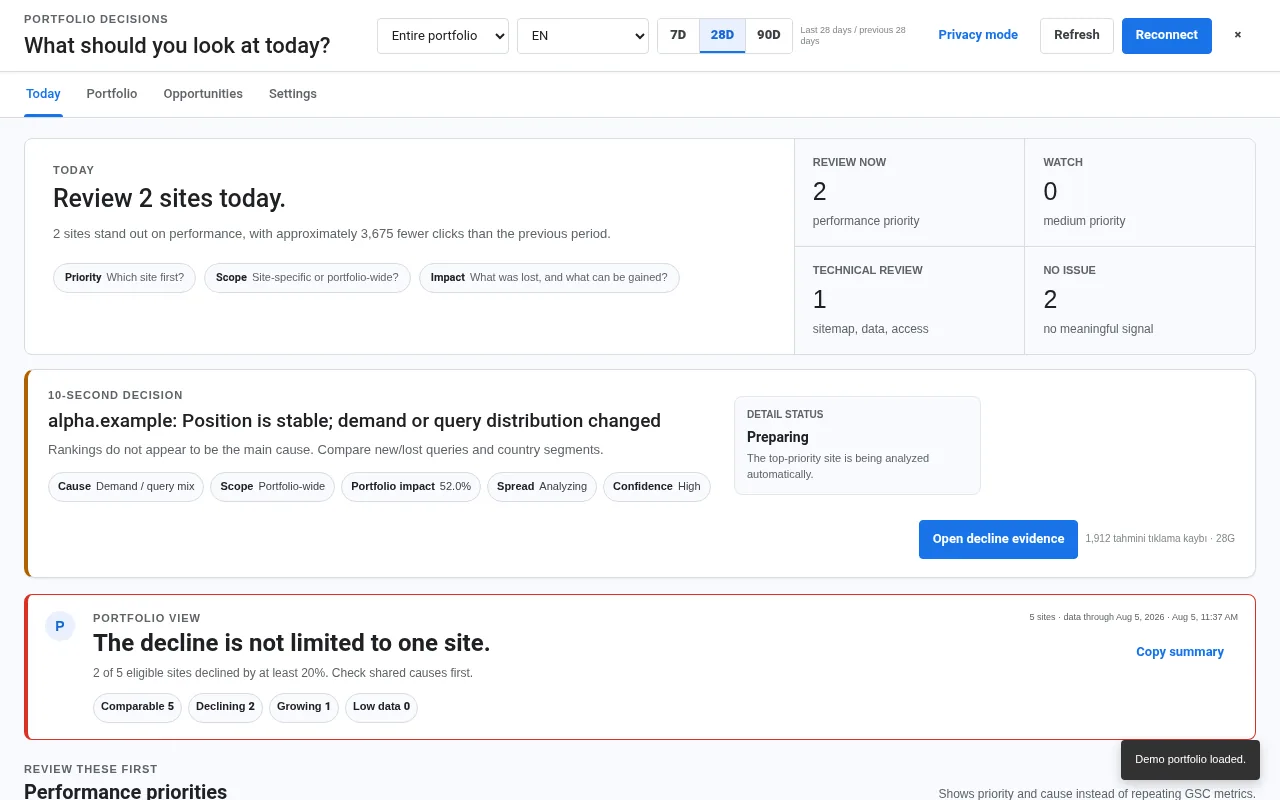
10-second brief
Priority, cause, scope, confidence and next evidence.
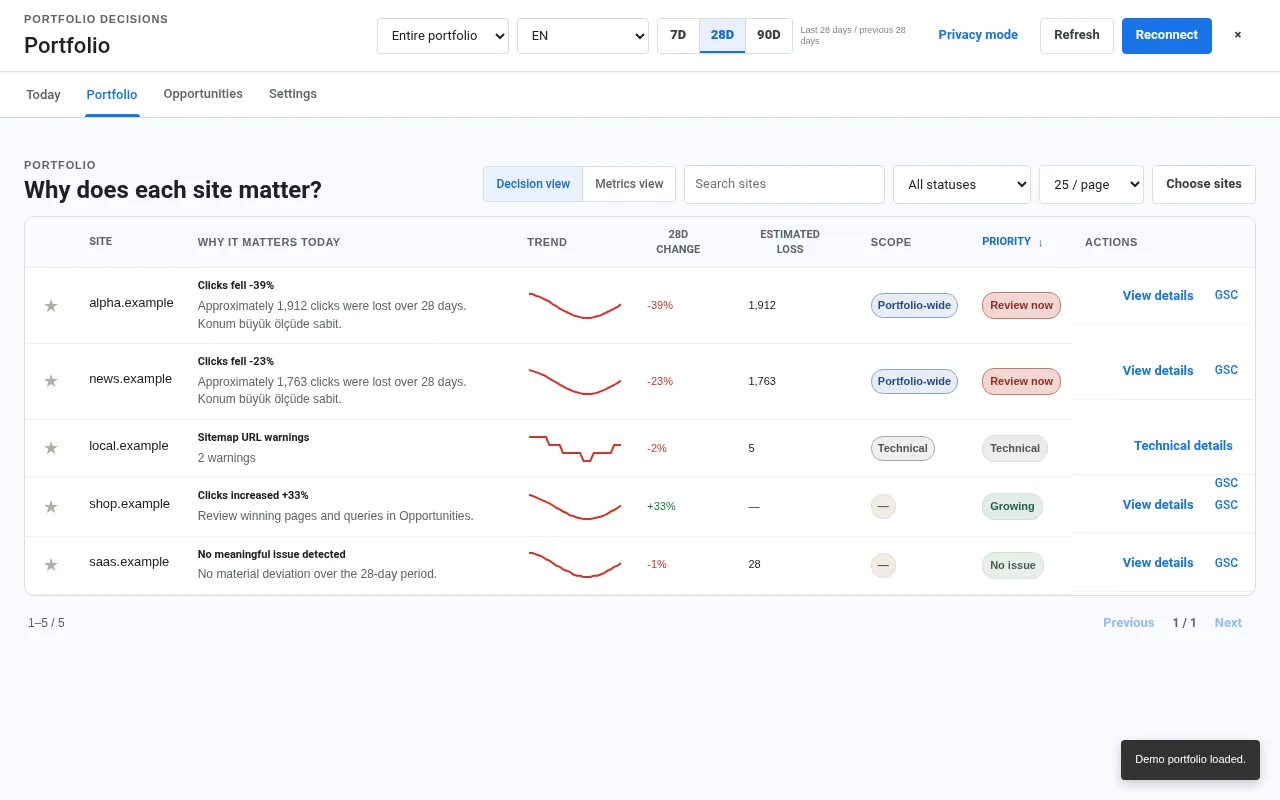
Portfolio comparison
Sort properties by impact and scope.
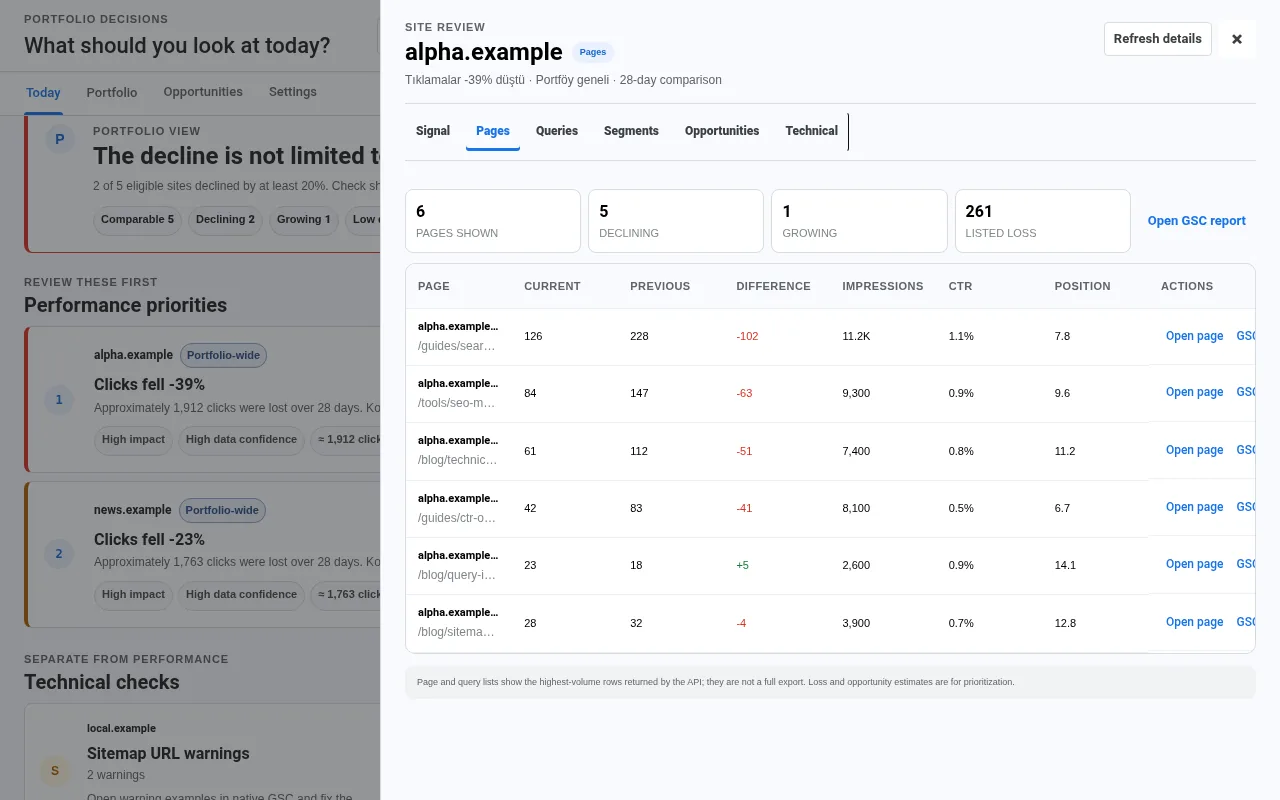
Page evidence
Open the pages driving the change.
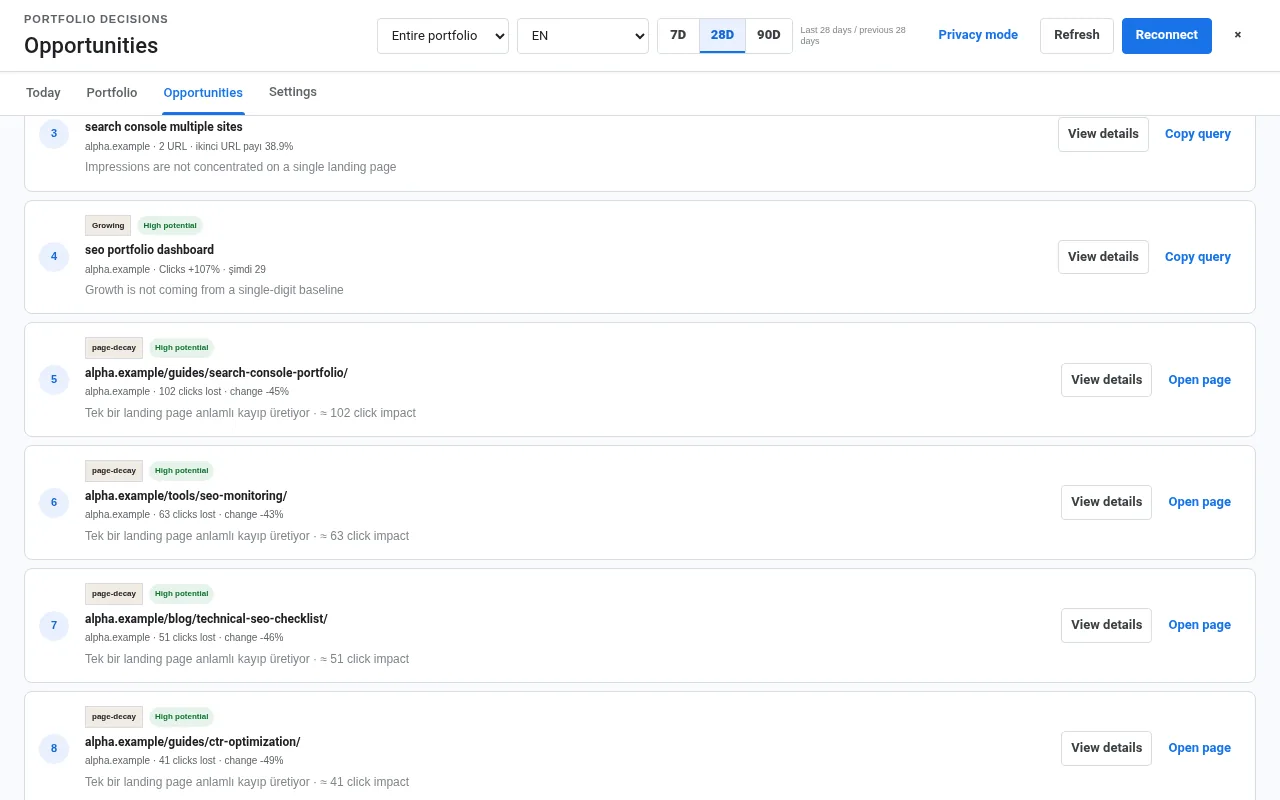
Opportunity radar
Low CTR, growth, page-one and split-URL candidates.
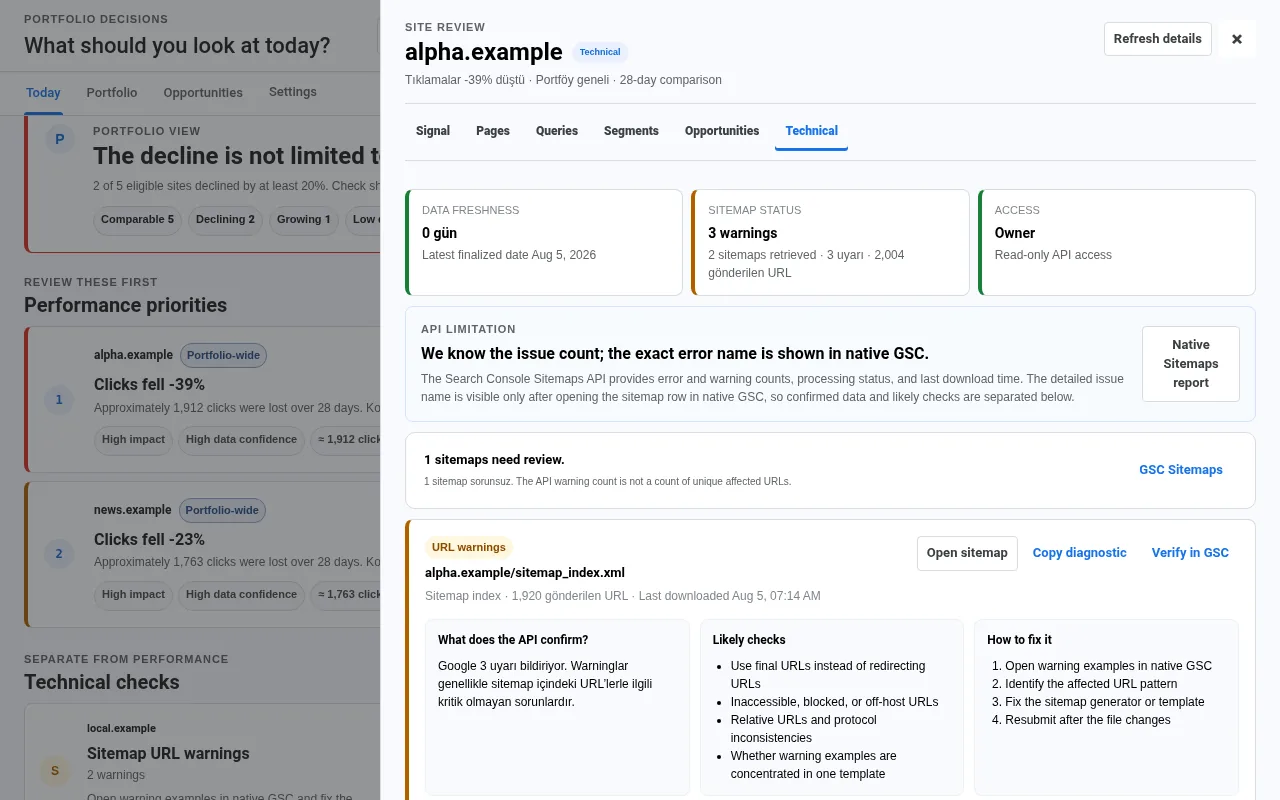
Sitemap diagnostics
Confirmed API evidence, checks, fixes and native verification.
Use cases
Built for multi-property workflows
Make the first review decision in 10 seconds.
Connect read-only Search Console access and choose the properties you manage.
Add to ChromeBuilt from real feedback
What early users asked GSC Pulse to solve
The product was shaped around repeated hands-on feedback, not invented testimonials.
Don’t give me another dashboard. Tell me which property I should look at first.
Led to the ten-second decision brief and portfolio priority view.
Don’t just say “there is a sitemap problem.” Show the evidence, likely checks, and repair steps.
Led to the confirmed-evidence and native-verification diagnostic model.
When I open a detail, take me to the relevant page, query, or native report.
Led to evidence-first actions instead of generic summary navigation.
These are transparent paraphrases of recurring feedback during hands-on product development. No names, star ratings, or Review schema are fabricated. Verified public feedback belongs on the Chrome Web Store listing.